For Nonprofits

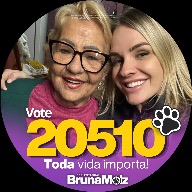
Profile picture frames for nonprofits

Rally your community around a cause with one shareable link.

Awareness spreads fastest when your community wears it. Ollabs gives your nonprofit a simple way to make a branded profile-picture frame and share it with one link, so supporters, staff, and volunteers can all show up together.

It is free and needs no account. Make a frame with your logo and colors, and let your people put your mission on their profile.

When this is the right tool

Staff, volunteers, and the people you serve

A fundraiser page is about the ask. A nonprofit page is about who wears the org all year. Staff can add the frame on LinkedIn during a hiring week. Volunteers can add it the weekend of a food drive. Beneficiaries should never be pressured to participate. The link is optional, public, and has no login, so nobody has to join a platform to show support.

If chapters or local groups each want their own mark, they can each publish a campaign. Headquarters does not have to design every PNG. Upload the logo once, or let a local organizer upload theirs, and share that group’s link in that group’s chat.

Keep the donate link in the caption when the week is a drive. The rest of the year, leave money off the frame so the org mark does not read as a perpetual ask. Volunteers who already gave time should not feel billed every time they open Instagram.

Annual identity versus a disaster week

Keep a quiet, on-brand frame for the year if you want a stable look on staff profiles. When a flood, a bill, or a court date hits, publish a second campaign with a sharper message and a new link. Retire it when the week is over so last month’s emergency is not still sitting on people’s photos.

The counter on the emergency campaign is the number you can honestly quote in an update. It is not a substitute for service stats, and we do not inflate it.

A bio link that outlasts one campaign

Instagram and TikTok bios want one URL. A hub is that URL: a Join button to whichever frame you feature this month, plus a short bio. Share the /c/ campaign link in WhatsApp when you need people to act in the next hour. Share the /u/ hub in the bio so the next visitor still finds you after this week’s frame comes down.

Read next: What a campaign hub is

Advertisement

On-brand in minutes

Upload your logo or set your colors so every photo reinforces your identity.

No barriers to join

Supporters add the frame without downloading an app or creating an account.

Real reach you can see

The supporter counter shows genuine adoption, not vanity numbers.

How it works

1

Make a frame

Pick a color or upload your own design in the builder.

2

Share one link

Post it in emails, texts, and socials. Everyone uses the same link.

3

They add it

Supporters drop in a photo, download it framed, and your counter climbs.

Advertisement

Questions

Do supporters need an account?

No. They open your link, add a photo, and download. That is it.

Can we use our own logo as the frame?

Yes. Upload a transparent PNG and it wraps every supporter’s photo with a window in the center for their face.

Can we keep a campaign off Explore?

Yes. Set it to unlisted and share only the link with members, chapters, or an email list.

Advertisement

Ready to bring your people together?

Make a campaign in under a minute. No account needed.

Advertisement